

BillBook help
VAT, made simple
BillBook calculates Guyana's 14% VAT for you, line by line — you just tell it which items VAT applies to. Here's how the pieces fit.
Your business's VAT mode
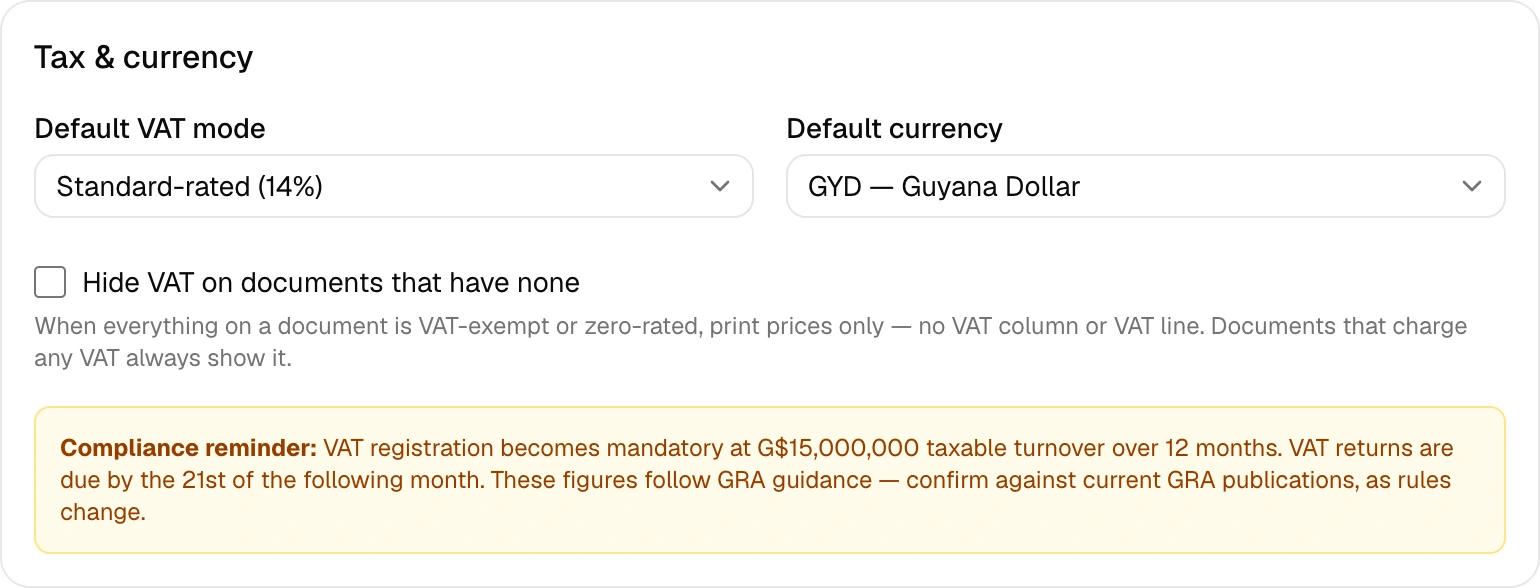
In Settings → Tax & currency, pick how your business stands with VAT:
Standard-rated— you're VAT-registered and charge 14% on taxable items. Not VAT-registered — you charge no VAT at all (most small businesses start here). Zero-rated and exempt modes exist for businesses whose entire supply falls in those categories.
VAT per line item
Every line on a document (and every saved item) carries its own VAT type: standard (14%), zero-rated (0%, but still a taxable supply — think exports and certain basic foods) or exempt (no VAT applies at all). Mix them freely on one invoice — BillBook does the math per line and totals it correctly.
Prefer not to show VAT on exempt documents?
Some businesses sell only exempt or zero-rated goods and don't want "Exempt" stamped all over their invoices. Settings → Tax & currency has a switch: Hide VAT on documents that have none. With it on, any document whose items carry zero VAT prints clean — just prices and a total, no VAT column.
The honest-bookkeeping guard: a document that charges any real VAT always shows its full VAT breakdown, switch or no switch. That keeps every tax invoice a proper tax invoice.
The monthly VAT report
Insights → VAT gives you a month-by-month summary of output VAT on your sales — the number you need when filing. You can export it as CSV. Returns are due by the 21st of the following month.
A note on responsibility
BillBook is a tool, not an accountant. It applies the rates and rules you configure, and we verify the defaults against GRA guidance — but your filings remain your responsibility, and rules change. If the standard rate ever changes, update it in Settings → Tax & currency: new documents bill at the new rate, and everything you already issued keeps the rate it was billed at. When in doubt, check current GRA publications or ask your accountant.