

BillBook help
Recording payments & your plan
Two different kinds of money here: payments your customers make to you, and what you pay BillBook. Both are designed to be simple and honest.
Recording a customer payment
Open the invoice → Record payment → enter the amount and method (cash, bank transfer, MMG…). BillBook updates the balance, automatically issues a numbered receipt, and marks the invoice paid when the balance hits zero. Partial payments are fine — pay in two or three pieces and the balance tracks correctly.
Once a payment is recorded the document locks against editing — corrections go through a credit note, so your books stay honest.
BillBook plans — what's free and what's paid
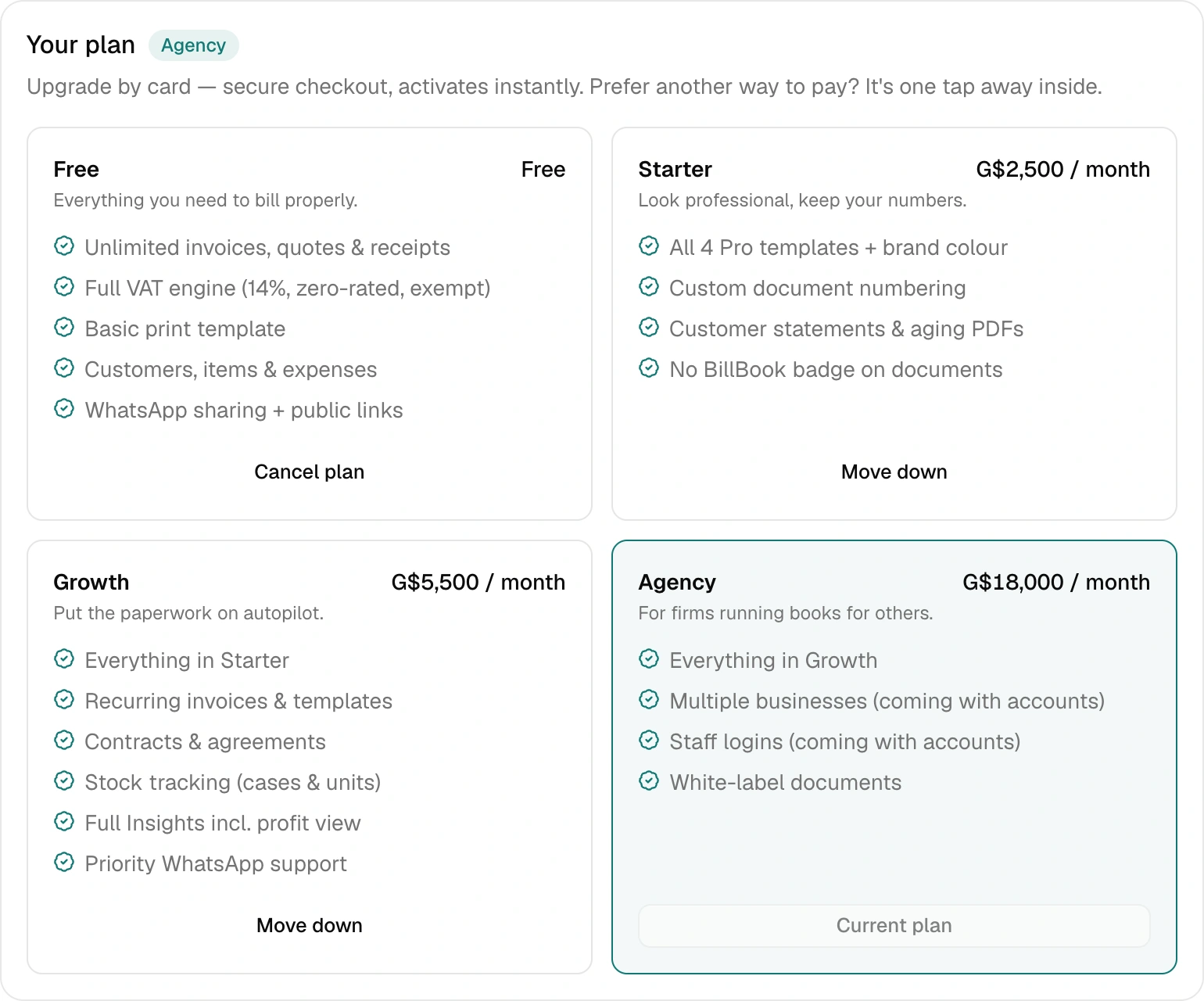
The Free plan is a real taste: 5 quotes or invoices and 10 receipts a month (a receipt for a payment you record on an invoice always goes out, and credit notes are unlimited — we'll never block proof of payment or a correction), the full VAT engine, customers, items and expenses, plus a small taste of stock, recurring invoices and agreements. Paid plans remove the limits and add power — Starter (pro templates, custom numbering, statements, your logo on every document), Growth (recurring invoices, contracts with AI drafting, stock tracking with shelf insights, full insights, and a clean document with no BillBook badge), Agency (the AI suite — stock scan from a photo, one-tap shelf organiser, plain-English monthly briefing — plus full white-label, with no BillBook mention even on share links). Current prices are on the pricing section of the home page.
Every account gets 14 days of the Growth plan free, with a taste of the AI tools — no card needed. The clock starts the day you create your first document, not the day you sign up, so the trial is never spent while you are still setting up. It simply steps down to Free when the 14 days are over.
Paying for a plan
Settings → Your plan, then pick a plan. Tap Pay with MMGand pay in your MMG app with your usual PIN: Pay Merchant, merchant number 7396210 (TG Bill Book Enterprises), the exact amount shown. Then type the TransID from MMG's SMS or receipt and your plan switches on straight away. Have an MMG web login? You can pay on MMG's website instead, from the same screen. Or pay by card(Visa, Mastercard or debit, secure checkout by Paddle). For a bank transfer or cash, tap "Other ways to pay" and confirm on WhatsApp; we switch you on the same day.
Refer a business — you both get a month free
Settings has your personal referral link. Share it with a business that should be on BillBook; when they subscribe to Growth or higher, you each get a month of your plan free — we confirm it with both of you on WhatsApp. No limits on how many businesses you can bring in.


Moving down or cancelling — never a charge
Downgrading is free, always. You keep the plan you paid for until your month ends, then switch down — the app routes you to WhatsApp and we handle it. Nobody pays twice, nobody pays to leave. Your data stays yours on every plan, and you can export everything from Settings at any time.